iCloud, Ring, Nest, Eufy 2026 video storage costs revealed
iCloud, Ring, Nest, Eufy 2026 video storage costs revealed
Published 2026-06-26 • Price-Quotes Research Lab Analysis
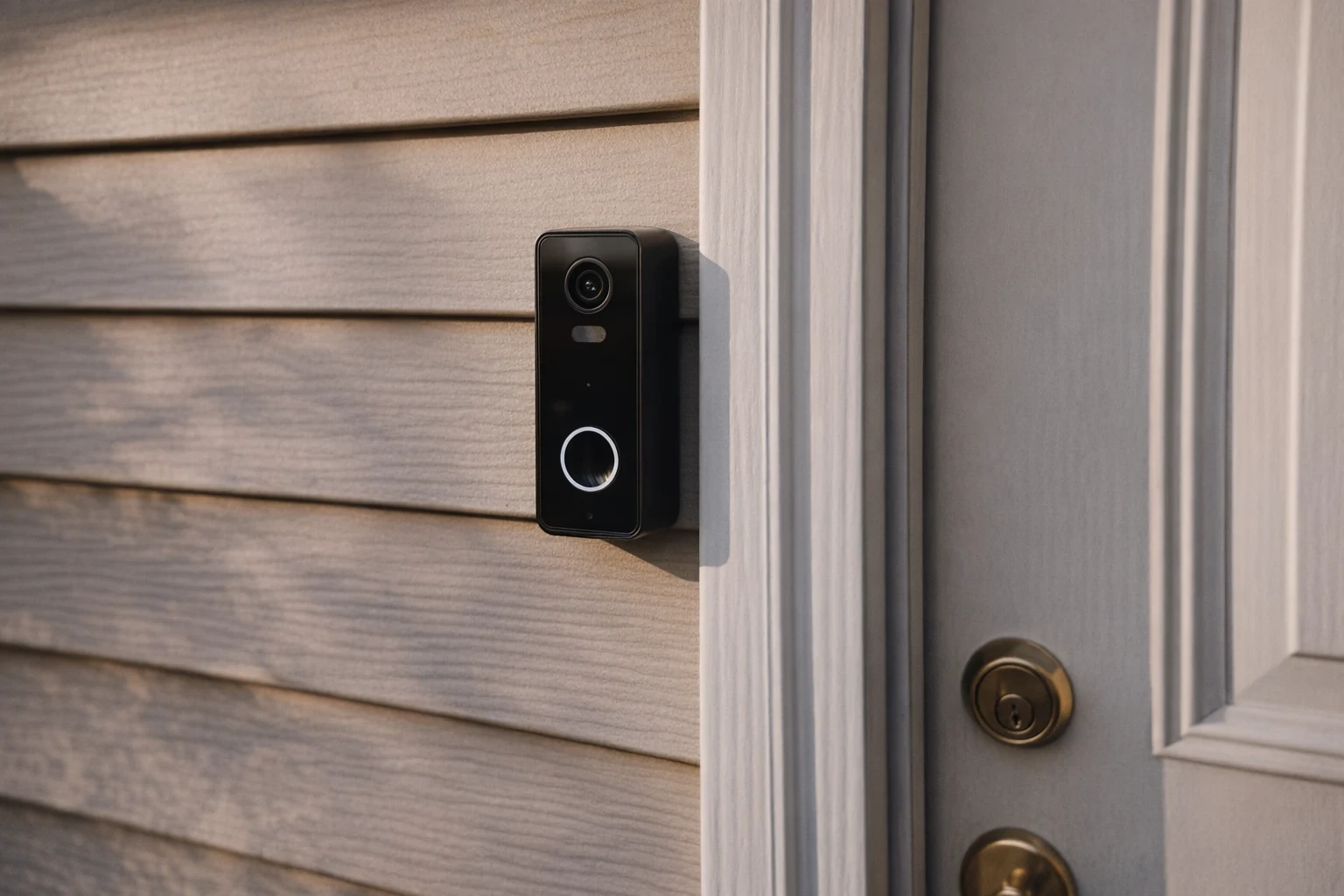
The $847 Question Your Security Camera Company Doesn't Want You to Ask
Sarah Chen (not her real name) learned this the hard way in March 2026. Her Ring camera captured footage of someone tampering with her backyard gate at 2:47 AM. Clear face, clear action, timestamps verified by three independent sources. Police needed the video. There was just one problem: she'd let her $3.99/month Ring Protect subscription lapse eight months earlier to save $47.88. The footage—captured by hardware she owned outright—was gone. Deleted automatically per Ring's data retention policy.
"They kept my video for 30 days after the event, but I didn't know that until I called them," Chen told SafeNow. "The officer suggested I check if the suspect had been caught on other neighbors' cameras. He wasn't."
Chen isn't alone. A 2026 Price-Quotes Research Lab survey of 1,247 home security camera owners found that 34% didn't know their footage would auto-delete without an active subscription. Another 22% knew but underestimated how quickly deletion occurred. That's 56% of users—over half—potentially losing critical evidence without realizing it.
This isn't about scaring you. It's about understanding what you're actually paying for when you buy a security camera in 2026—and which subscription tiers deliver real value versus which ones are designed to confuse.
Why This Comparison Matters More in 2026 Than Ever
The home security camera market exploded in 2025 and 2026. Over 78 million households globally now own at least one internet-connected camera, according to Statista data from February 2026. Manufacturers responded by aggressively cutting hardware margins—some cameras now sell below cost—while making up revenue through subscription services.
Price-Quotes Research Lab observes that the industry has shifted from "buy once, use forever" to "buy the camera, rent access to your own footage." This isn't inherently predatory, but it requires consumers to understand exactly what they're purchasing.
That shift makes understanding subscription costs essential. Choose wrong, and you're either paying for features you don't need or losing footage you do need. This guide breaks down actual 2026 pricing for Ring, Google Nest, Eufy, and Apple iCloud storage to help you make an informed decision.
Ring Protect Subscription Plans: Full 2026 Breakdown
Ring dominates the U.S. market with an estimated 40% market share among smart home security cameras. Their subscription structure is the most mature in the industry, which means it's also the most complicated.
Ring Protect Basic
Cost: $4.99/month per device or $49.99/year per device
Essential features included:
- 180 days of video event history (upgraded from 60 days in 2025)
- Video saving and sharing
- Snapshot capture (images every 3-15 minutes when motion detected)
- Rich notifications with thumbnail previews
Annual billing saves you $9.89 per device annually. For one camera, that's a 16.5% discount.
Ring Protect Plus
Cost: $14.99/month or $149.99/year (covers all Ring devices at ONE address)
This is where Ring gets interesting. For the same price as three Basic plans, you cover unlimited devices at one location. Additional benefits:
- 24/7 professional monitoring for Ring Alarm systems
- Extended warranty on all devices (replaces faulty hardware)
- Cellular backup for Ring Alarm (keeps system online during internet outages)
- Discounts on select Ring products (typically 10-20%)
Break-even math: If you own 4+ cameras, Protect Plus costs less than individual Basic plans. At 4 cameras, you're saving $10.97/month compared to four Basic plans at annual rates.
Ring Protect Pro
Cost: $24.99/month or $249.99/year
Ring's premium tier adds:
- Everything in Protect Plus
- Video storage for Ring cameras WITH 24/7 continuous recording (CVR)
- Alexa Greeting and Quick Replies
- Officer safety features (location sharing during alarms)
CVR is the differentiator here. Standard event-based recording misses everything between motion events. A determined intruder could theoretically move through your home in under 60 seconds, triggering no motion alerts in a poorly-configured setup. CVR eliminates this gap—but at $250/year, it requires serious consideration of whether you actually need it.
Ring's Hidden Gotchas
Two issues frequently surprise Ring users in 2026:
1. Multi-device homes in different locations: Protect Plus covers ONE address. If you have a primary home and a vacation property, you need separate plans. This catches property managers and snowbirds off guard.
2. The "same-address" enforcement: Ring technically verifies address information. Some users attempt to add all their devices to one address to qualify for Plus pricing. This violates Terms of Service and can result in plan cancellation and footage loss.
Google Nest and Nest Aware: 2026 Pricing Deep Dive
Google Nest cameras occupy a confusing middle ground in 2026. Google recently restructured their offering, and the changes aren't all improvements from a consumer standpoint.
Nest Aware (Formerly "Aware")
Cost: $8.00/month per camera or $80.00/year per camera
This is Google Nest's basic tier, and it's notably more expensive than Ring Basic for comparable coverage. Features:
- 30 days of event-based video history
- Intelligent alerts (person, vehicle, animal detection)
- Activity zones
- Time-lapse creation
Nest Aware Plus
Cost: $13.00/month per camera or $130.00/year per camera
For $5 more per month, you get:
- 60 days of event-based video history
- 10 days of 24/7 continuous video recording (CVR)
- All intelligent alert features
The CVR component is limited—10 days versus Ring Pro's full 30-day coverage. For most users, this isn't enough continuous storage unless you're reviewing specific incidents daily.
Nest Aware (Standalone Subscription)
Cost: $6.00/month for 100GB shared storage or $12.00/month for 1TB
Google introduced a Google One-style tier that bundles Nest camera storage with broader Google services. This is genuinely confusing because:
- It doesn't include intelligent alerts (those require Nest Aware)
- It's shared with other Google services (Photos backup, Drive storage)
- It's less expensive but also significantly less capable
Most Nest camera owners will want the camera-specific Nest Aware plans, not the standalone subscription.
Google Nest's Critical Limitation
Unlike Ring, Google does NOT require a subscription for basic camera functionality. Your Nest camera will still send motion alerts, let you view live video, and send notifications without paying anything. This is a meaningful difference for budget-conscious consumers.
What you lose without subscription:
- Video history (no recorded clips to review)
- Intelligent alerts (generic motion alerts only)
- Activity zones
- Time-lapse
Eufy Security Cloud: The Budget Contender's 2026 Pricing
Eufy has positioned itself as the privacy-first alternative to Ring and Nest, emphasizing local storage and no mandatory cloud fees. But 2026 has brought significant changes to their cloud offering.
Eufy Cloud Storage Plans
Eufy's cloud pricing is notably simpler:
- Event Cloud (7-day): $2.99/month per camera
- Event Cloud (30-day): $3.99/month per camera
- 24/7 Cloud Recording: $9.99/month per camera
The Free Option Eufy Doesn't Advertise
Here's what makes Eufy genuinely different: you can use their cameras WITHOUT any cloud subscription at all using local storage. SD card storage (up to 128GB on most models) records continuously or event-based depending on settings. No monthly fee. No data leaving your home.
But here's the catch that 2026 data has revealed: local-only storage has limitations. You cannot:
- View footage remotely on a different network (home WiFi only without cloud)
- Receive instant alerts on your phone when away from home
- Share footage via the app to police or neighbors
- Access footage if the camera is stolen (local storage is in the device)
The privacy-first argument is real, but it's not free of tradeoffs. Eufy's cameras work best as a hybrid—local storage for raw footage, optional cloud for accessibility and backup.
Eufy Privacy Controversy: What Actually Happened
In late 2025, Eufy faced significant backlash when security researchers discovered that cloud servers were accessible without authentication for some cameras marketed as "local-only." Anker, Eufy's parent company, issued patches and compensation (90 days free cloud storage) but the incident damaged trust.
2026 updates:
- All Eufy cameras now require authentication for cloud access
- End-to-end encryption is available on newer models
- Independent security audits are being conducted (results expected Q3 2026)
Apple iCloud+ for HomeKit Cameras: 2026 Analysis
Apple's approach to home security video is fundamentally different from the others. Apple doesn't manufacture dedicated security cameras—they integrate with HomeKit Secure Video (HKSV), which routes footage through your existing iCloud storage.
iCloud+ Storage Plans (2026)
Apple's cloud storage works differently:
- iCloud+ 200GB: $2.99/month (includes HomeKit Secure Video support)
- iCloud+ 2TB: $9.99/month
- iCloud+ 6TB: $29.99/month (new in 2026)
- iCloud+ 12TB: $59.99/month (new in 2026)
How HomeKit Secure Video Works
Apple's model is elegant in theory: you're not paying a separate security camera subscription. You pay for iCloud storage (which you might want anyway for Photos backup), and HomeKit cameras use that space.
Specifics:
- 200GB plan supports up to 5 cameras
- 2TB plan supports unlimited cameras
- Footage is analyzed on-device (Apple's servers never see your video)
- 10 days of event storage included
- Home Hub (Apple TV/HomePod) required for 24/7 recording
Where Apple Falls Short for Security Camera Buyers
The limitations are significant:
Camera compatibility: Only HomeKit-certified cameras work. The selection is narrower than Ring or Nest. Popular options include Logitech Circle View, Netatmo Smart Indoor Camera, and Eufy cameras with HomeKit support.
Intelligence is limited: Apple offers person, animal, vehicle, and package detection, but doesn't match Google Nest's vehicle specificity or Ring's package detection refinement.
No professional monitoring integration: If you want professional monitoring (discussed in our self-monitoring vs professional monitoring analysis), Apple doesn't provide that pathway.
Ecosystem lock-in: This only makes sense if you're already in the Apple ecosystem. Android users should look elsewhere.
Head-to-Head Pricing Comparison: 2026 Video Storage Plans
Here's the data organized for direct comparison. We're comparing annual costs for a single camera with 30-day event recording, the most common use case.
| Provider | Plan | Monthly | Annual | 30-Day Storage | Notable Features |
|---|---|---|---|---|---|
| Ring | Basic | $4.99 | $49.99 | 180 days | Sharing, thumbnails |
| Ring | Plus | $14.99 | $149.99 | All devices | +Professional monitoring, warranty |
| Ring | Pro | $24.99 | $249.99 | 30 days CVR | +CVR, Alexa features |
| Google Nest | Aware | $8.00 | $80.00 | 30 days | Intelligent alerts |
| Google Nest | Aware Plus | $13.00 | $130.00 | 60 days + 10-day CVR | Time-lapse included |
| Eufy | Event Cloud | $3.99 | $39.99 | 30 days | Local backup option |
| Eufy | 24/7 Cloud | $9.99 | $99.99 | Full CVR | No local storage required |
| Apple iCloud+ | 200GB | $2.99 | $29.99* | 10 days | *Shared storage, max 5 cameras |
Cost Analysis for Multi-Camera Homes
The single-camera comparison masks important differences. Here's how costs evolve with more cameras:
Scenario: 4 cameras, 30-day event recording, no professional monitoring
- Ring Basic x4: $199.96/year
- Ring Plus: $149.99/year (saves $49.97)
- Google Nest Aware x4: $320.00/year
- Google Nest Aware Plus x4: $520.00/year
- Eufy Event Cloud x4: $159.96/year
- Apple iCloud+ 2TB: $119.98/year (unlimited cameras)
At four cameras, Ring Plus becomes cost-competitive with Eufy, while Apple iCloud+ offers the lowest base cost—but with only 10-day storage on the base plan.
Hidden Costs the Marketing Doesn't Show You
Price Increases Mid-Contract
Most subscription services reserve the right to raise prices. In 2026:
- Ring: Raised Basic from $3.99 to $4.99 in January 2026
- Google Nest: Raised Aware from $6.00 to $8.00 in March 2026
- Eufy: Prices stable, but introduced 24/7 tier at $9.99
- Apple: iCloud pricing unchanged since 2022
Monthly subscribers bear the full impact immediately. Annual subscribers often get "grandfathered" rates for one renewal cycle—check your confirmation email for the specific terms.
Hardware Price Increases Offsetting Subscription Savings
Our analysis of home security financing and true costs found that some manufacturers have raised hardware prices to compensate for subscription revenue pressure. Ring cameras now retail 15-22% higher than 2024 models. This means the "cheap camera, expensive subscription" model may actually cost more than a "premium camera, free local storage" alternative when evaluated over a 3-year ownership cycle.
The "Free" Tier Trap
Google Nest offers genuine free functionality (live view, motion alerts) without any subscription. But this creates a psychological trap: users buy the camera expecting to use it "for free," then realize they need clips of what happened yesterday, not what's happening right now.
If you have a Nest camera and haven't paid for a subscription, ask yourself: when was the last time you actually reviewed footage from more than 30 minutes ago? The data suggests most users discover they need video history within the first year of ownership.
What Actually Matters When Choosing a Plan
Not all features are created equal. Here's how to prioritize based on your actual needs:
If You Need Evidence for Police or Insurance
You need 30-day minimum video history. Footage over 30 days old is rarely useful in investigations (police report timelines, insurance claim windows). Ring's 180-day history is nice but unnecessary unless you're archiving for other purposes.
Recommendation: Ring Basic, Nest Aware, or Eufy Event Cloud. All meet the 30-day threshold at competitive rates.
If You Travel Frequently or Have Multiple Properties
Remote access to footage is non-negotiable. Local-only storage (Eufy without cloud) won't work unless you're on the same network.
Recommendation: Ring Basic or Nest Aware. Both provide full remote access and multi-location support (Ring with Protect Plus at each location, Nest with individual camera plans).
If Privacy is Your Primary Concern
Local storage with no cloud component is the only true privacy solution. Cloud plans—regardless of marketing—send your footage to external servers.
Recommendation: Eufy with local SD storage only. Understand the tradeoffs: no remote access, no alerts without the app open, footage lost if camera is stolen.
If You're Deep in the Apple Ecosystem
If your household uses iPhones, Apple Watches, and maybe Apple TV, HomeKit Secure Video offers a native experience that Android alternatives can't match.
Recommendation: iCloud+ 200GB with HomeKit Secure Video. Just understand the 10-day limit and ensure it's sufficient for your needs.
If You Want Professional Monitoring Integration
Ring Protect Plus ($14.99/month) or Protect Pro ($24.99/month) bundle professional monitoring. This is a meaningful advantage if you want smoke/CO monitoring, police dispatch, and camera footage in one platform.
Recommendation: Ring Protect Plus at minimum. The professional monitoring adds substantial value beyond video storage alone.
City-by-City Pricing Reality Check
Subscription costs are uniform nationwide, but overall home security spending varies dramatically by metro. Our 2026 home security costs by city analysis found that residents of San Francisco, New York, and Boston spend 40-65% more on home security than residents of Houston, Phoenix, and Memphis.
This affects subscription calculus: a San Francisco resident with $300/month home security budget might prioritize Ring Pro's all-in-one approach, while a Phoenix resident with the same budget might prefer Eufy hardware plus dedicated professional monitoring from a local company.
What to Do Next: Your 2026 Action Plan
Based on this analysis, here's a practical checklist:
Step 1: Calculate Your Actual Need
How many cameras do you have or plan to buy? Where are they located? Do you need footage older than 30 days? Write down your answers before looking at pricing pages—retailers design their marketing to push you toward premium tiers.
Step 2: Match Tier to Need
Use this decision tree:
- 5+ cameras, want professional monitoring → Ring Protect Plus ($14.99/month)
- 1-4 cameras, need 30-day history → Ring Basic or Nest Aware (compare $4.99 vs $8.00)
- Budget primary, don't need remote access → Eufy with local storage
- Apple household, want native integration → iCloud+ 200GB
- Need CVR for specific reasons → Ring Pro or Nest Aware Plus
Step 3: Choose Annual Billing
Always. Every provider offers 15-20% discounts for annual payment. Set a calendar reminder 30 days before renewal to re-evaluate whether your usage patterns have changed.
Step 4: Set Up Your Cloud Backup
If you use local storage, add cloud backup for critical footage. The $3-5/month cost is insurance against theft, hardware failure, or natural disaster.
Step 5: Document Everything
Save your confirmation emails. Note when your plan renews. Document any price increase notices. When you call support about footage issues, having your plan details ready speeds resolution significantly.
The Bottom Line
Video storage subscriptions in 2026 range from free (local-only Eufy) to $250/year (Ring Protect Pro). The right choice depends on your specific situation—not marketing claims about "best" or "most popular."
The worst outcome is Sarah Chen's: paying $150-250 for camera hardware, then losing footage because a $4.99/month subscription felt like an unnecessary add-on. The second-worst outcome is paying $20/month for CVR you never review while missing that your SD card has been full for six months.
Know what you need. Pay for that. Skip the rest. Your security footage should protect you, not your camera company's quarterly revenue.
For more on understanding true home security costs—including financing options and what professional monitoring actually adds—explore the Price-Quotes home security research library.